Stop losing projects in chat threads and email chains
Bring your designers and developers into one shared workspace. Manage feedback, track progress, and ship faster - without the back-and-forth.
Comment on live sites. Ship without
the guesswork.
Tziki brings designers and developers onto the same page - literally. Pin comments directly on live websites and resolve feedback where it actually matters.

Up and running in minutes
Install the Tziki extension
Add Tziki to your browser in seconds. Create your account, and you're ready to go - no complex setup, no onboarding call required.
Create a project
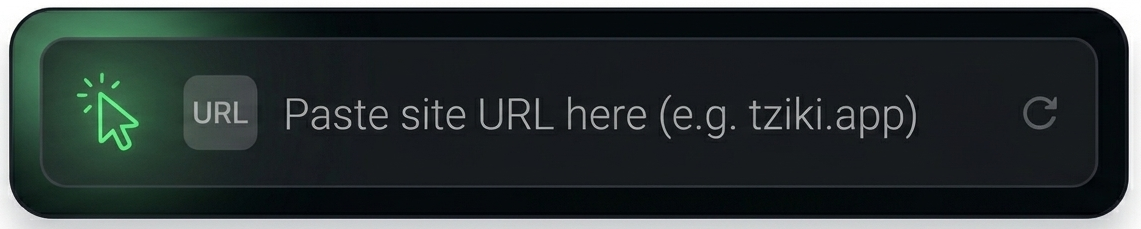
In your dashboard, create a new project and paste the URL of the website you want to review. Tziki will recognize it every time the extension is active on that site.
Select elements & leave comments
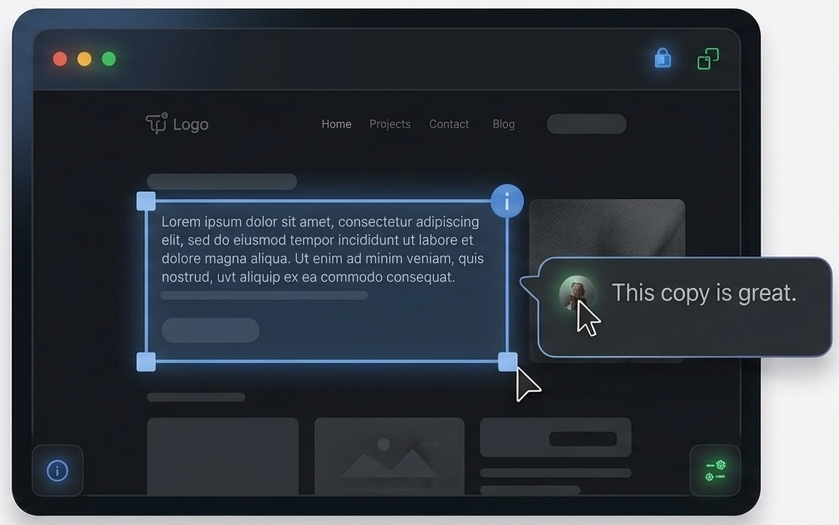
Click any element on the live site and write your feedback right there. Change copy, flag a design issue, or approve a section - all in context, visible to your whole team.
Teams that switched to Tziki
Designers, developers, and agencies share how Tziki changed the way they review, iterate, and ship together.
"The show/hide toggle alone saved us. Now developers can browse the site cleanly and switch on comments only when they need context."

Ana Petrović
Lead Engineer, Pixelforge
86%
less miscommunication
Benefits
- Works on your actual website
- Leave a comment on any element
- Central project dashboard
- Built for teams of any size
"Pinning a comment directly on the element is worth more than a thousand words in a Slack thread."

Milica Nađ
Product Designer, Wavelab
Ready
in under 2 minutes
"We run two to three website projects at any given time. Tziki's dashboard keeps every client site separate, and the team jumped on it immediately - zero resistance, which never happens with new tools. It's our default for every project now."

Miloš Tufegdžić
Agency Owner, Nimbus Studio
Questions, answered
Everything you need to know before you install Tziki and start collaborating on live sites.
Do I need to install anything to get started?
Just our browser extension. Add Tziki to your browser in seconds, create your account, and you're ready to comment on any live site - no complex setup, no onboarding call required.
Does Tziki work on my actual website?
Yes. No special staging links or shared previews needed. Install the extension, open any site, and pin comments directly on the live pages your team already uses every day.
Can I keep comments separate for different projects?
Absolutely. Comments are per-site and never mixed. Manage all your sites, projects, and team feedback from one clean dashboard, with every client site kept completely separate.
Is Tziki a good fit for my team size?
Whether you're a solo freelancer or a full agency team, Tziki fits your workflow. Invite collaborators and get everyone aligned in minutes - it scales with you without getting in the way.
Can Tziki see or change my website's code?
No. Tziki never installs anything into your website and never touches your code. The extension only overlays comments inside your own browser - it doesn't inject scripts, modify your files, or send your site's code anywhere. Your pages stay exactly as they are, and your comments are private to your project, visible only to the collaborators you invite.
How much does it cost to try?
Nothing. Install the extension, add your first project, and leave your first comment in under five minutes - completely free. No credit card, no commitment.
Stop explaining in chat.
Start pointing at the thing.
Install the extension, add your first project, and leave your first comment in under five minutes - for free.